
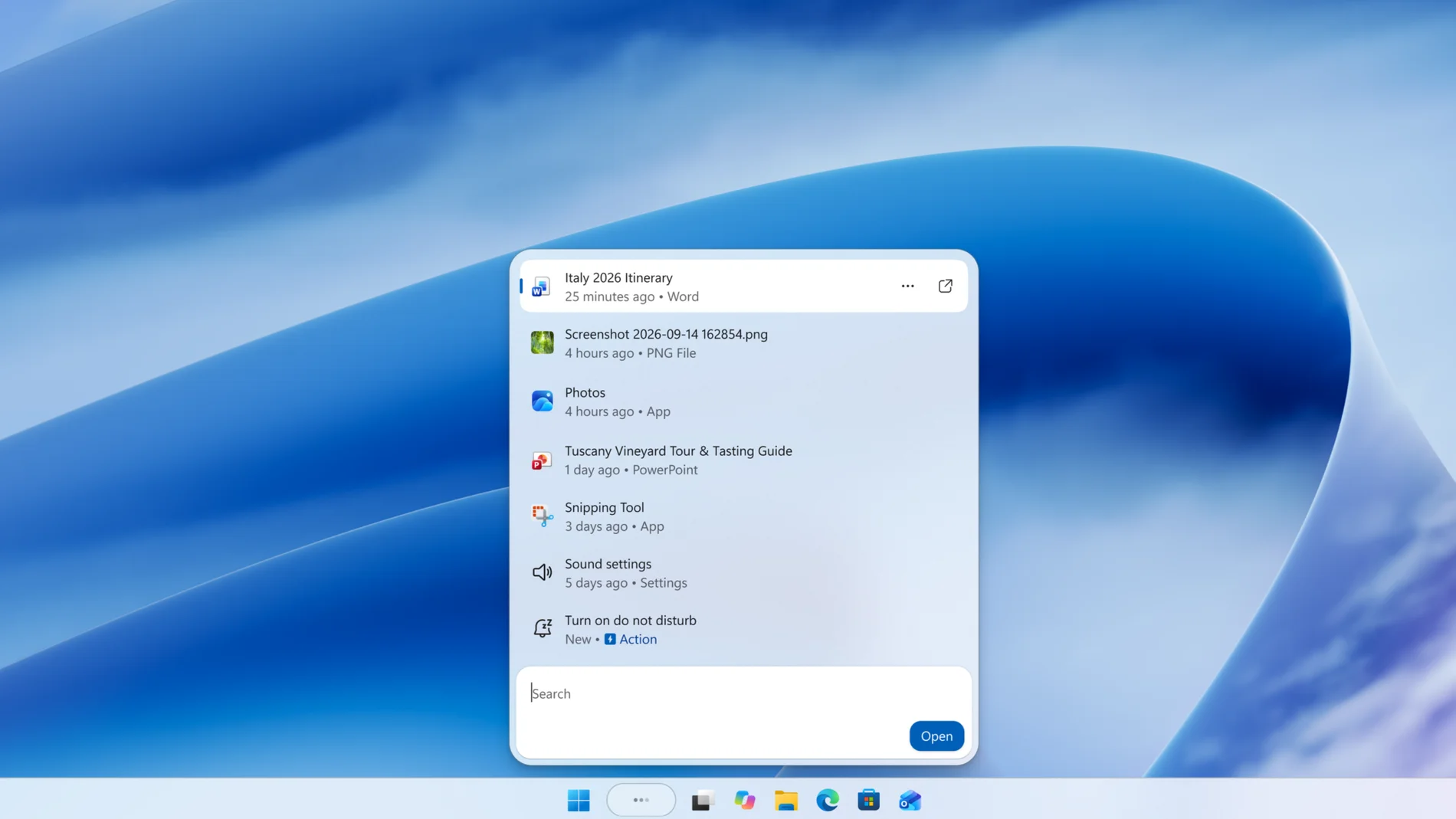
Microsoft has taken advantage of the event dedicated to Windows and surface yesterday to announce important hardware and software news. On the one hand, he presented the Surface Laptop Ultra and Surface RTX Spark Dev Boxtwo devices developed in collaboration with Nvidiaaimed at running artificial intelligence workloads locally and which are certainly not aimed at the average user. On the other hand, software news aimed mainly at developers, but among which a particularly interesting function stands out for users of Windows 11.
It is part of a new redesign of Windows search which not only changes your appearance, but also what it allows to do. Microsoft had already introduced improvements in July to simplify the interface, remove promotional content from web results and allow Choose whether to show suggestions from the Internet and Microsoft Store.
Now the company has taken another step by rebuilding the search on WinUI 3a technology that allows you to modernize the interface and improve your performance. According to Microsoft, early tests show a considerable reduction in memory consumption and faster response speed.
It has also removed the large preview panel that appeared to the right of the results, which They are now displayed in a single list. The company explains that almost all user clicks are concentrated in the list on the left, so maintaining both panels made little sense.
Search is also improving its ability to recognize typographical errors and synonyms and will add previews of documents and photographs within the results. It will also allow consult directly from searching for Internet information such as the weather forecast, the price of a company’s shares or the height of the Eiffel Tower, without having to open the browser
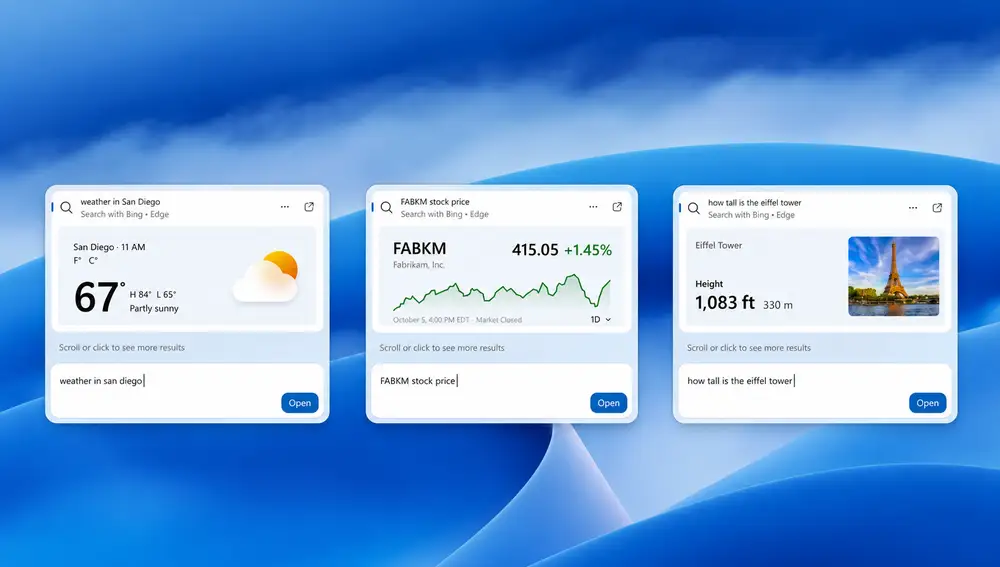
Windows Search can now also execute actions
But the most important news is Inline Actionsa function that allows perform certain tasks directly from Windows 11 Searchas if it were one of those AI agents that are the latest trend in artificial intelligence.

Until now, when someone wanted to modify a setting, the search engine told them where to find it and they had to access the corresponding menu or application. With the new system it is enough to write an instruction in natural language so that the search shows the corresponding action and allows it to be executed without leaving it. For example, you can ask that turn on dark mode, turn on night light, enable Bluetooth, reduce screen brightness, mute computer sound, or open two screen sharing apps.
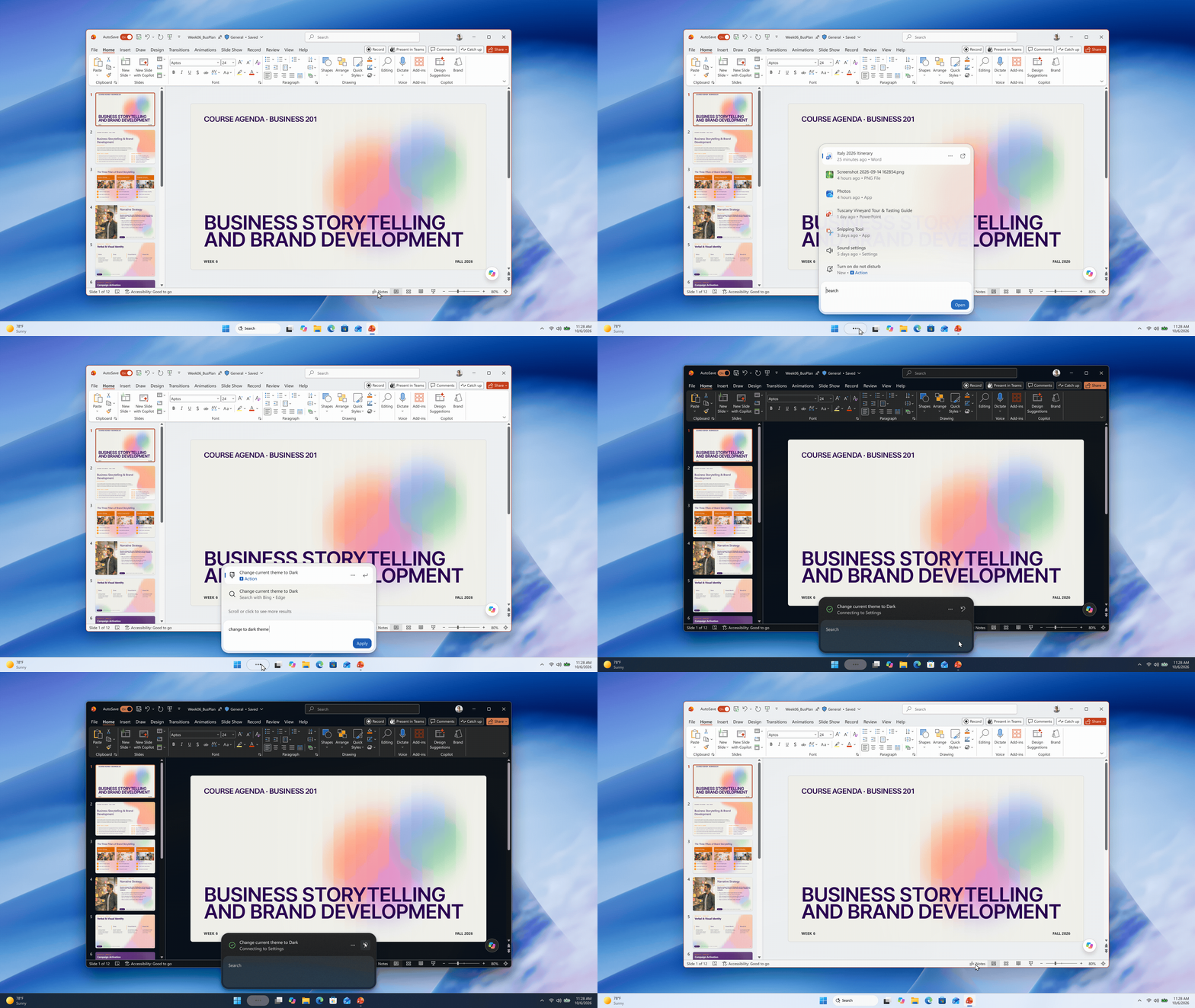
It also supports instructions for organize the desksuch as minimizing all open windows or distributing multiple applications across the screen. It is not necessary to know the exact name of each setting nor go through the Windows menus to find it, the user types what they want to do and the search does it.
Microsoft has not indicated that Inline Actions uses artificial intelligence, but its operation is clearly reminiscent of an AI agent. In fact, It looks quite similar to the one integrated into the configuration of the Copilot+ PC computersthose that include a NPU of at least 40 TOPS accompanying the processor, which uses artificial intelligence to interpret what the user needs and help them modify system settings.

In any case, Inline Actions is limited to a series of specific actions and does not allow free control of any computer function. Microsoft intends to progressively expand its capabilities and is also working on its integration with Mobile Linkthe application that connects Windows with phones, to be able to send text messages from it through search, without touching it.
The new Windows 11 search began to reach program participants yesterday Windows Insider registered on the channel Experimentalinitially only in English. The company plans to add this search to the menu Start at the beginning of 2027 and continue to expand the tasks it can perform.