

Google The deployment of the new version of its operating system has begun Android. Usually, the company coincides with these launches with that of its mobile phones. Pixelbut this year it has not been like that. The Pixel 9 They arrived in August with Android 14 and the first mobile phone to release Android 15 has been the foldable one Vivo X Fold 3 Proavailable in the Chinese market, last month. Finally, this Tuesday Google has officially launched Android 15, its Pixel phones being the first to receive it.
Android 15 is one of those versions that, as they say, brings incremental improvements but do not represent a significant leap. It must be taken into account that, unlike the update cycle of Apple with iOSAndroid devices receive important updates throughout the year. For example, the function Circle to search It was released earlier this year to coincide with the series Galaxy S24. The application Gemini and Gemini Live They arrived alongside the latest generation of Pixel phones. We review the main new features of Android 15.
Theft detection, automatic locking and intrusion protection
The new function of theft detection lock in Android 15 uses AI to automatically lock your phone if it detects that someone has snatched it and is trying to escape by running, cycling or driving. It will also allow you lock phone remotely from any device using your phone number and a simple security verification. Google has explained that theft detection blocking is available for most devices running Android 10 or higher. Additionally, Android 15 has added authentication requirements for settings that are targeted by thieves such as SIM card removal and feature disabling Find my device.
Private space
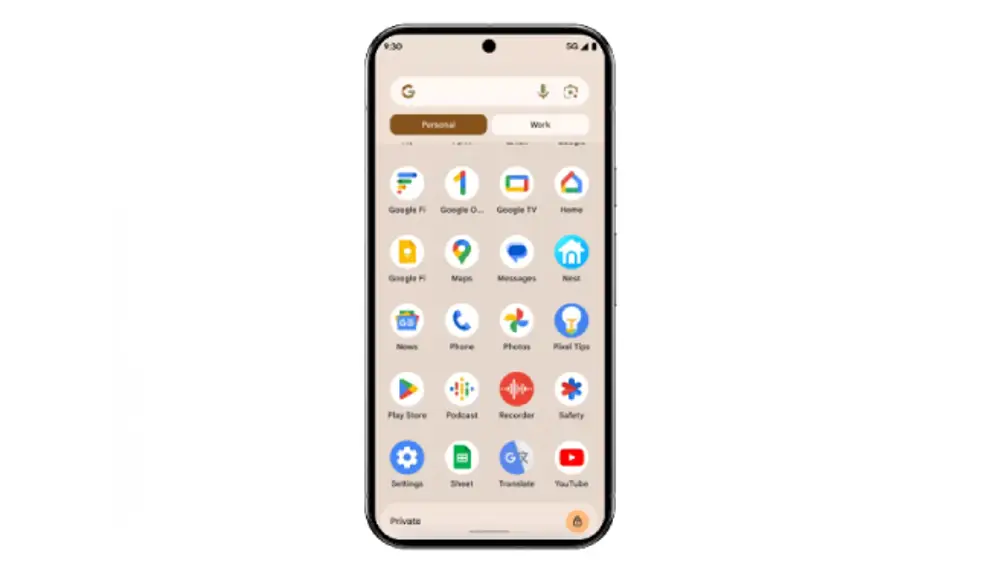
The new function of Private Space in Android 15 allows you to create a separate and private space to protect sensitive applications. Once apps are locked in Private Space, they will be invisible to others and They will be hidden from the normal apps list, recent apps view, notifications and settings. To access applications protected in Private Space, you will need an additional authentication mechanism.
Usability: taskbar, app pairing, new volume control and custom vibration
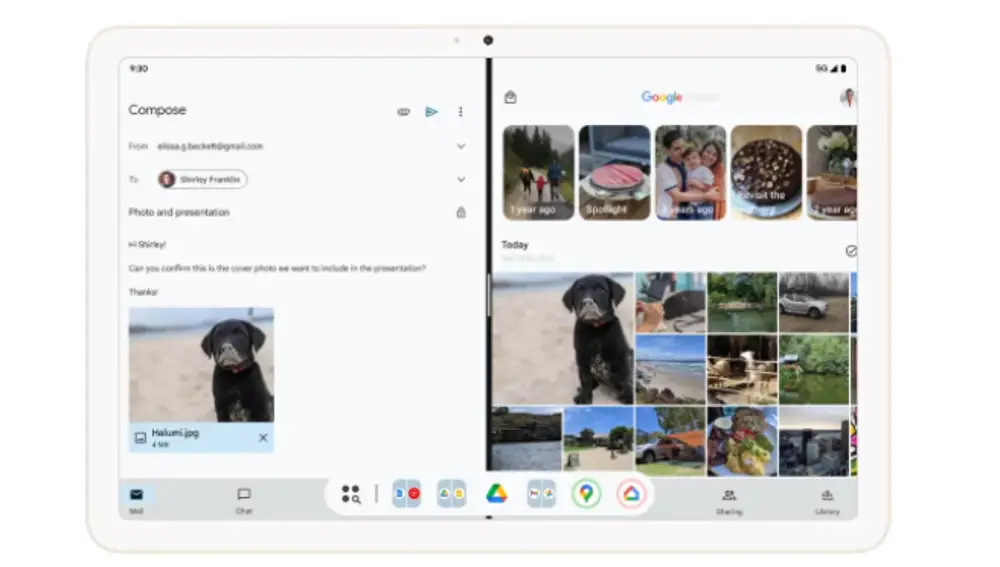
Android 15 includes usability improvements for tablets and foldable devices. For example, now you can pin and unpin the taskbar on the screen. He app pairing allows you to create a quick shortcut with which you can open two applications simultaneously, each on half of the screen, for better multitasking use. The volume controls They have been redesigned and now occupy more space on the screen, which they use to present more options. The mobile vibration It can also be customized for certain notifications. For example, one vibration indicates the entry of a new email and two indicate an SMS.
Other improvements: camera and satellite connectivity
Android 15 also brings camera improvements, such as better Low Lighting Mode and in-app camera controls in low light conditions, precise flash control in third-party and other lesser applications. The new version of Google’s operating system now allows carriers’ messaging apps to use satellite connectivity to send and receive messages when a mobile or Wi-Fi connection is not available.
Which phones receive Android 15
Initially, it is available on Pixel phones, from the Pixel 6 launched in 2021, which arrived with Android 12, to the recent Pixel 9. To update your Pixel, you have to follow the path Settings > System > System update > Check for updates.
As Google has pointed out, other manufacturers will bring it to their mobile phones ‘in the coming months’.