
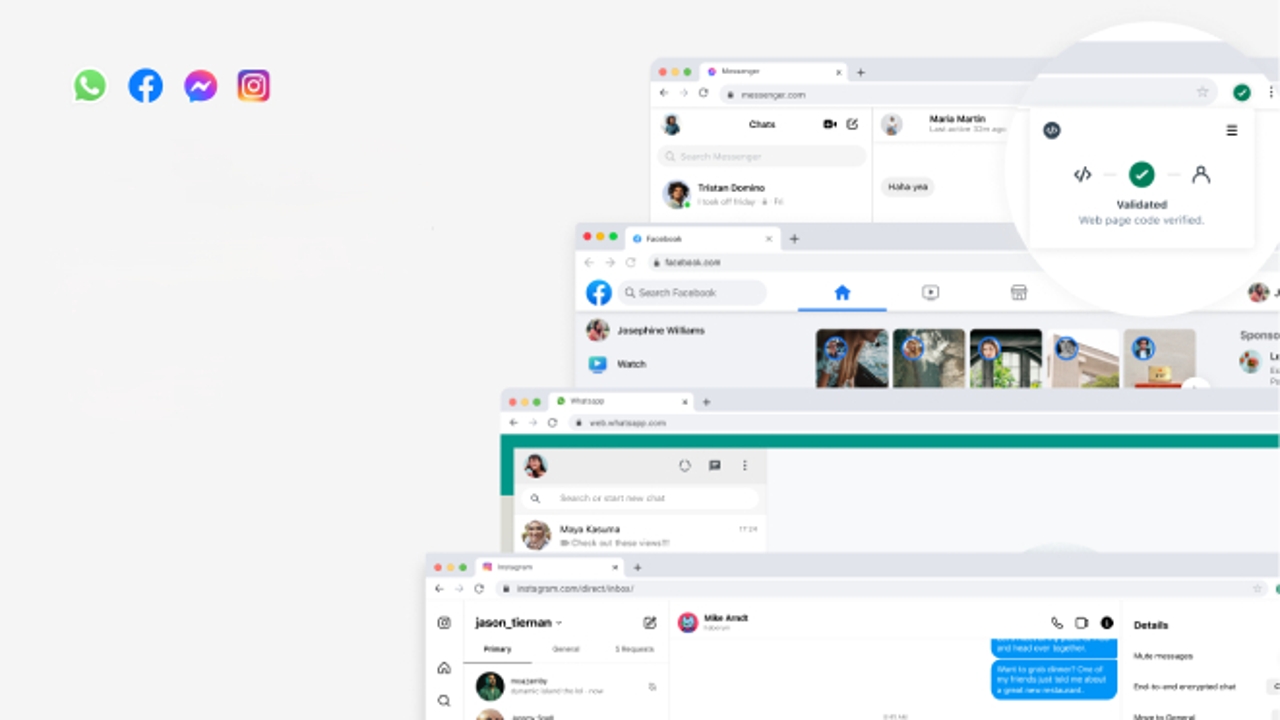
One of the reasons why cybercrime grows year after year is because the ubiquity of the Internet and, in particular, social networks, puts its action within reach of practically everyone. One of the most common forms is phishing; that is, the identity theft of a product or service to get the victim to provide sensitive data or carry out a specific action for the benefit of cybercriminals. To achieve this, it is necessary to resort to well-known platforms with a large number of users – a bank, an institution or a social network, among others – and in the face of this threat, Goal has launched a new protection tool for users of WhatsApp, Facebook, Messenger and Instagram.
Code Verify is a Meta extension for browsers Chrome, Edge, Firefox and any other Chromium-based that is compatible with the Google extensions store. Its function is prevent your users from falling into phishing scams or other types of cyberattacks when they access the web version of any of Meta’s social networks. Code Verify automatically checks if you are using, for example, WhatsApp Web that you access the real, unmanipulated version of the service. If you access or are redirected at any given time to a website that imitates the service or the code of the legitimate one is compromised for another reason, Code Verify will alert you. The same in the case of the web versions of Instagram, Facebook and Messenger.
Meta explains on the extension information page that it has been associated with cloudflarea company that provides web infrastructure and online security services, ‘to allow us to verify that all WhatsApp, Facebook, Instagram and Messenger users on the web are accessing the same code. We created a browser extension so you can independently verify that this is the case‘.
With Code Verify installed in the browser, web versions of Meta apps get the same protection as mobile apps. ‘The extension scans the Javascript code of the web application and ensures that it matches the official version on Cloudflare. If there are inconsistencies, the extension will alert you immediately’explains Meta. Every time the code in the web versions is updated, it is also updated in Cloudflare so it can continue to be verified.
The extension is open source and independent of the Meta infrastructure. This means that other service providers could adapt it and use it with their web applications.
To install it in your browser, you must log in with Chrome—or another compatible with Google extensions—and access the Code Verify page in the Chrome Web Store. Once there, you just have to click on the button Add to Chrome.