
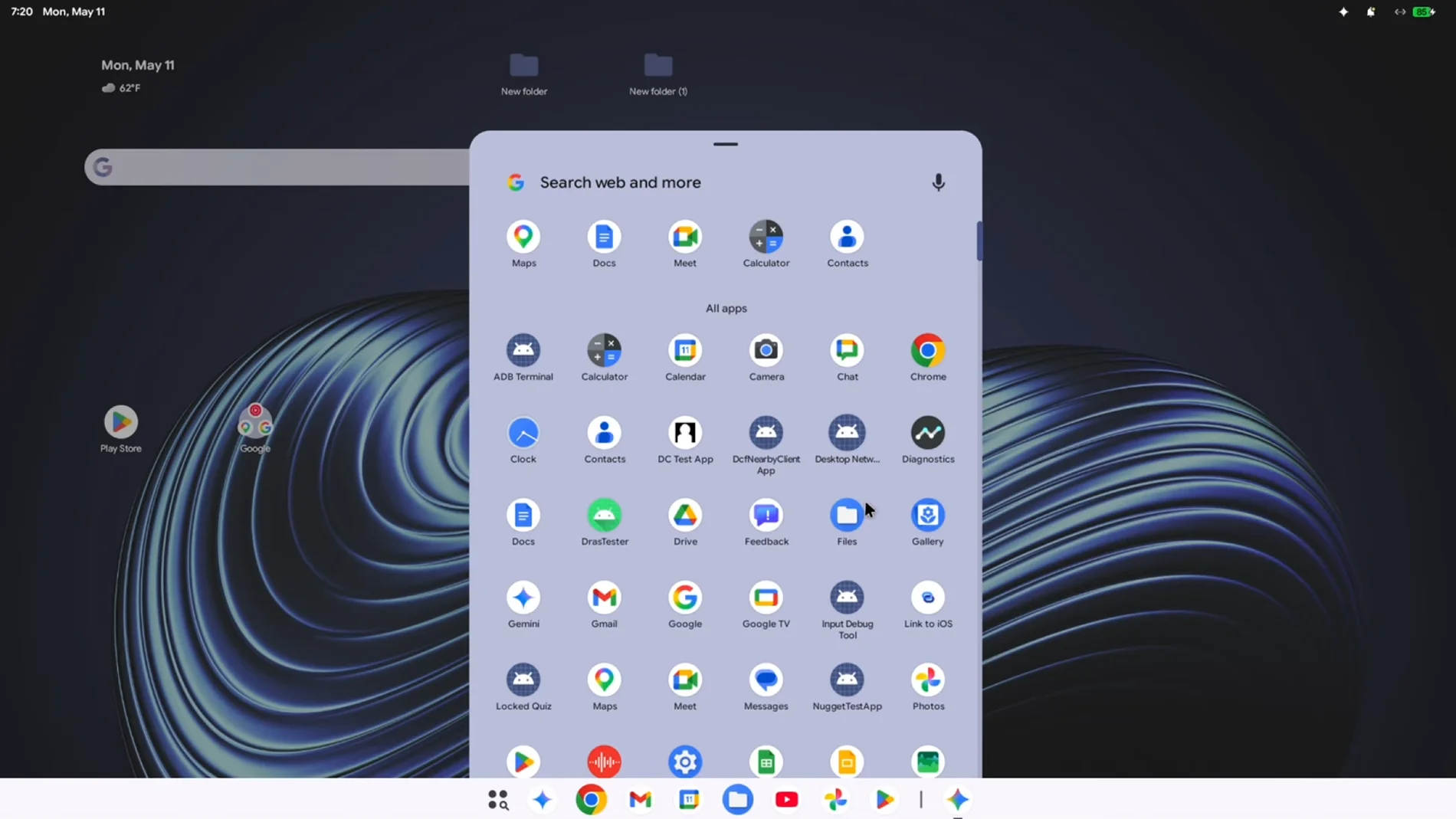
Google introduced yesterday, in the Android Showa first look at what your new operating system will be. Aluminum OS is its development name, although it will not be the official one that will be announced later, and it will arrive next fall with the launch of the laptops Googlebook. However, the leak of a 16-minute video with AluminumOS running on a Mac using an emulator advances more than Google advanced yesterday. According to Android Authority, it was originally shared by the leaker Mystic Leaks on his Telegram channel.
The video starts with a slow charging process of more than two minutesafter which the AluminumOS configuration on a new device is displayed. Both this process and the interface in general They look very similar to what pure Android isjust resized to fit a laptop instead of a phone.
This makes the home screen immediately familiar to anyone who has a Pixel. Displays a bottom app bar with an app drawer button, a Google search bar, a Play Store and a pre-installed folder of Google applications; Configuration is done using the same wizard used on current Android phones and allows choose between personal and work use.
Even the application of Settings and the lock screen are quite similar to those of Android phones and tablets. So it is not surprising that the device’s operating system is shown in the settings as Android version 17.
Compared to standard desktop mode Android 16AluminumOS has a taller taskbar and a revised menu bar that shows the battery level, Wi-Fi status, and active background processes. The window controls, minimize, maximize and close, are located in the upper right corner. Windows can be freely resized or used full screen. These are not just stretched mobile designs, but Google has made deliberate decisions for use on large screens.
The panel Quick settings It unfolds from the side as a vertical overlay, a design best suited for widescreen displays. Similarly, a compact notification panel is done by clicking the notifications icon in the status bar.
AluminumOS also includes an integration for connectivity with iPhone of Applewith Link to iOS. The browser Chrome sample an extensions button next to the address bar, indicating that users will have access to all the capabilities they offer, something that does not happen on Android.
The video shows that recent apps can be assigned as shortcut to the lower right corner. By accessing them, users will also be able to do so virtual desktopswhich will allow them to organize different workspaces and easily switch between them.
For now, AluminumOS doesn’t look particularly flashy. we will see If Google has tricks up its sleeve when it gives more details about the new operating system.