
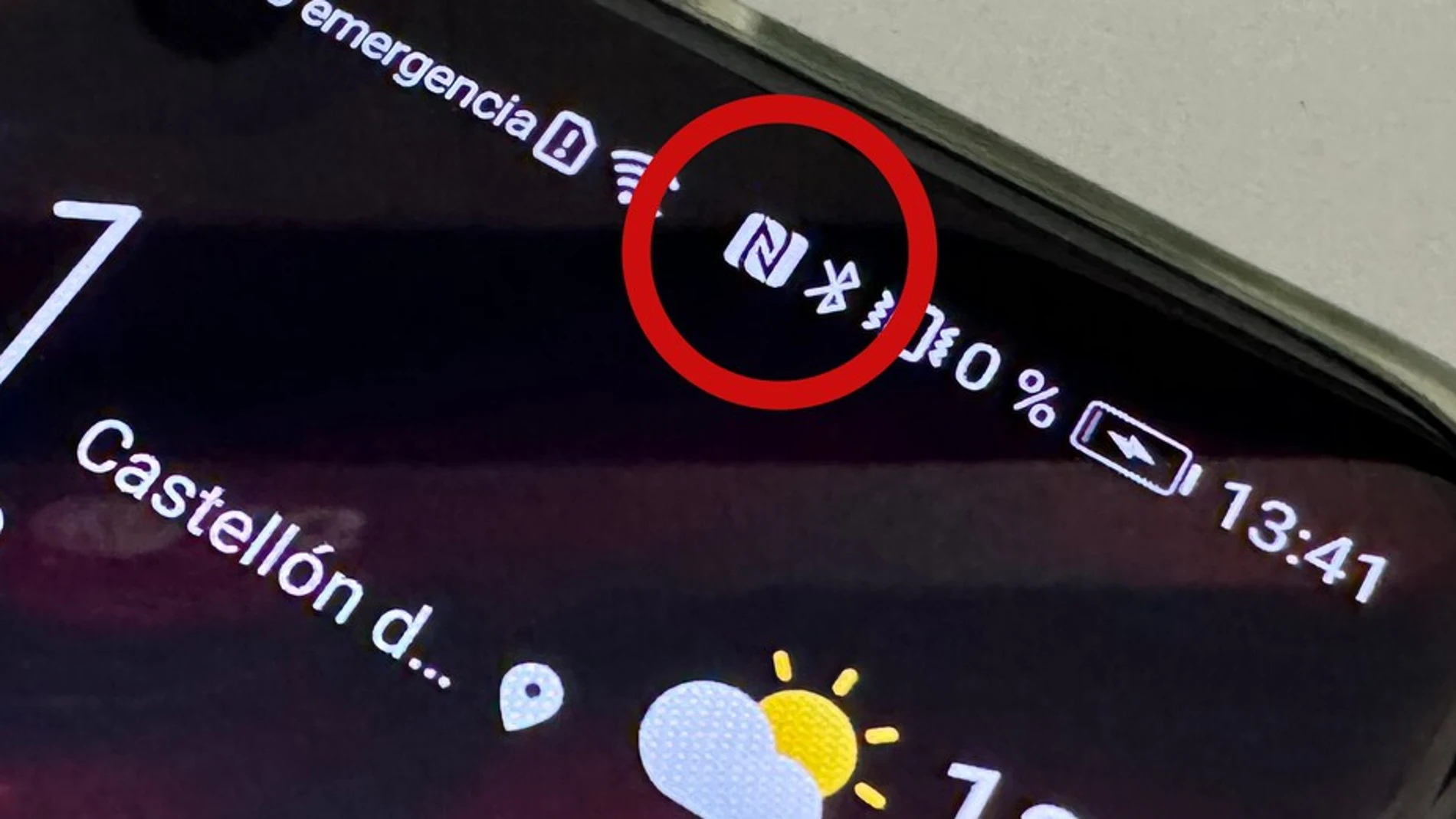
It is not a notification “N”: it is the sign that your cell phone has a function activated that can replace your wallet.
This symbol indicates that NFC is activated on the phone, a technology that allows you to make payments with your mobile phone, use transportation cards or even identify yourself digitally in some procedures.
What does the “N” that appears on your Android mobile mean?
The “N” stands for technology Near Field Communicationbetter known by its acronym NFC.
It is a short-range wireless communication system that allows information to be exchanged between devices that are a few centimeters away. Although it is present on most smartphones, not all manufacturers display this icon visibly in the top bar.
In some models it only appears when displaying the quick settings panel.
What is NFC for on Android?
NFC has become an everyday tool that facilitates multiple actions without the need for cables or difficult configurations.
Among its most common uses are:
- Pay in stores with your mobile via Google Wallet
- Use the phone as a public transport card
- Read the electronic DNI to carry out administrative procedures
- Automate actions with programmable NFC tags
Its operation is very simple, just bring the phone closer to the compatible device, such as a dataphone or an NFC tagso that both can communicate.
Does having NFC activated consume battery?
One of the most frequent doubts is whether keeping this function on affects the autonomy of the device.
The answer is no. The energy consumption of NFC is practically negligibleso leaving it on permanently will not have a noticeable impact on the battery. For this reason, many users choose not to disable it.
Is it safe to leave NFC on?
Have NFC activated nor does it pose a security risk.
To complete a payment it is not enough to bring the phone close to a terminal. You need to open a compatible app, such as Google Wallet, and confirm the operation using a fingerprint, facial recognition, or a PIN.
This means that no purchase can be made without the authorization of the device owner.
How to deactivate the “N” icon
If you prefer not to see this letter on your mobile or you do not use this technology at all, you can deactivate NFC at any time.
You just have to follow this route:
Settings > Connected devices > Connection preferences > NFC
It is also possible to quickly activate or deactivate it from the phone’s quick settings panel.
Is it advisable to leave NFC activated?
If you usually pay with your mobile phone, use digital transportation cards or carry out procedures with electronic identification, The most practical thing is to keep the NFC always on.
It does not consume battery, is safe and allows you to take advantage of some of the most convenient functions of current smartphones.
So, if you see an “N” at the top of your Android, you already know that you have not been hacked, nor is it anything strange, It is the sign that your mobile is ready to do much more than you imagine.