
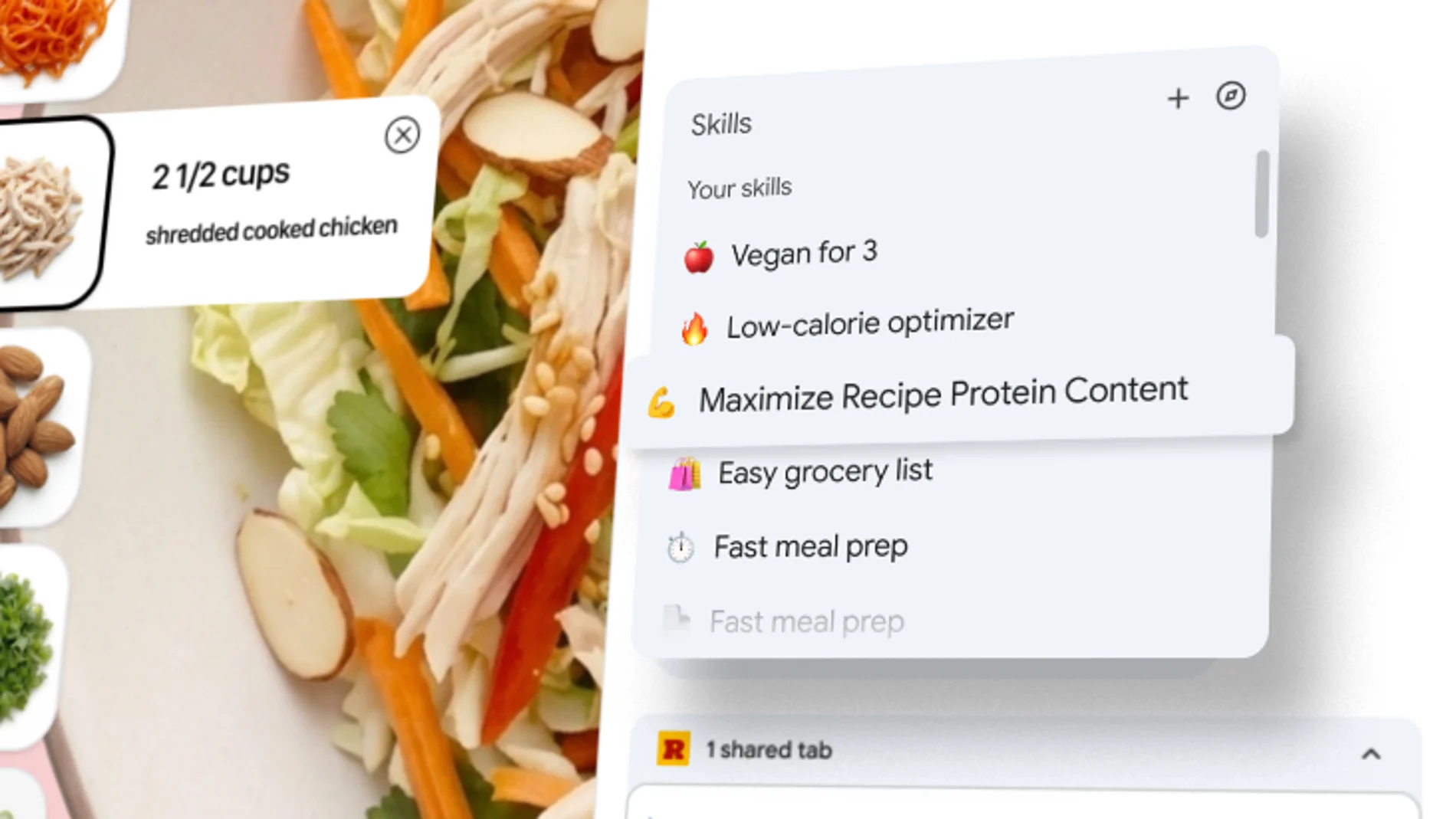
Google is launching a new feature in Chrome which allows the user to save and reuse their favorite prompts on web pages, without having to rewrite them over and over again. Now, any request you make to the AI assistant built into the browser, not yet available in Europe, can saved as a ‘Skill’ in the browserin its desktop version, which allows run it instantly in any tab that is selected.
‘Until now, repeating an AI task, such as requesting ingredient substitutions to make a recipe vegan, involved re-entering the same prompt each time you visited different pages. To facilitate this, We launched Skills in Chrome, which allows you to save and reuse your most useful AI prompts and launch them with a single click’he states Hafsah IsmailChrome product manager, in the announcement.
Skills begin rolling out today to Chrome users who have the language set to US English on Windows, macOS and Chrome OS. To use them from Spain, you must connect through a VPN and pretend that your location is United States, Canada, India or New Zealandthe countries in which Google has enabled its AI assistant in the browser.
Once you have access to the function, you can access it by typing ‘/‘ in Gemini. AI prompts can be saved as Skills directly from your Gemini chat history on desktop, and will then be available for reuse on any other desktop device where you’re signed in to Chrome with the same Google Account. To see a list with all the skills you have saved, you must press the ‘button+‘ in the wizard.
The goal is to prevent Chrome users from having to manually retype Gemini prompts they use frequently or copy and paste them from a saved list. According to Google, among the Skills created by the first testers there are instructions for calculate nutritional information for online recipes or to create side-by-side comparisons of product specifications while shopping with multiple tabs open. The Skill will run on the page you are viewing and any other tabs you select.
The company is also launching a library of predefined skills that you can save and use instead of creating your own. These Skills are ready for use can also be customized to best fit your needsserving as a starting point without forcing you to create them from scratch. With them you can, among other possibilities, get help choosing the perfect gift, create an infographic timeline and recipe prep list, or break down the ingredients of a product you’re viewing online.
Google notes that the feature incorporates the same safeguards as Gemini in Chrome. A Skills prompt will ask for confirmation before taking actions such as adding an event to your calendar or sending an email. It also includes security protections, including automated security testing and automatic updating.