
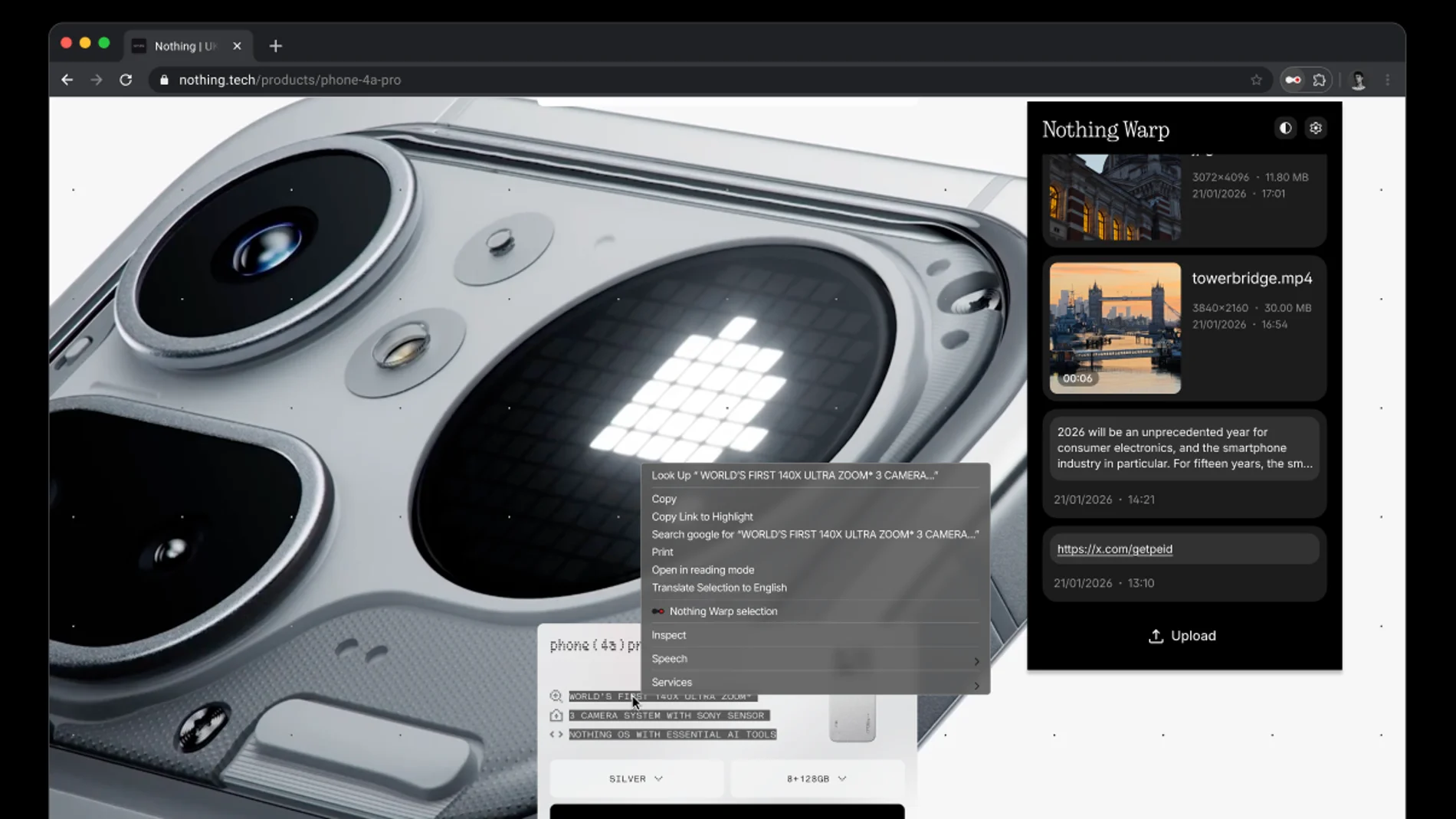
There are many ways to send files from an Android phone to a computer, but all involve some degree of hassle. Either go around with a cable, use messaging apps or cloud storage services, or have a certain app installed on the mobile phone and the computer between which the transfer is made and that you must configure. nothing now offers an alternative to perform this task almost universally, allowing you easily send files from any Android phone to any computer, whether it’s Windows, Linux or macOS.
Warp combines an application to Android and a browser extension, which means you need one based on Chromiumable to install it. That is, almost all of them, given that Firefox It is the only browser that is not. Chrome will work for you, of course, but also Microsoft Edge, brave, Opera, Vivaldietc. It is this aspect, that of the extension in the browser and not having to deal with an app for a specific operating system, what makes Warp so compatible. The app, freeis not limited to Nothing mobiles, but is valid for any Android.
With the app installed on the phone, you will see the Warp option when selecting the menu Share of a file. You can send images, videos or documents, but also text and links. From your computer, you can send to your phone’s clipboard highlight text in the browser, web images, or upload files from your hard drive by selecting what you want, right-clicking, and then clicking Nothing Warp. Of course, in web applications that take control of the right-click context menu, such as Google DocsWarp does not appear as an option.
Warp links devices together through your Google accountallowing you to send files with ease between multiple phones or computersand the receiving device It doesn’t even have to be on when you start the transfer.
The trick is that Warp does not transfer files directly between devices, but rather uploads them to a server and sends you a download notice to the other device. That makes it a simple and fast option for small files, but it’s probably not the best solution if you’re looking for a quick transfer of larger files, like videos; there the cable connection is still unbeatable. Text and web images upload almost instantly, but a multi-gigabyte video takes longer, and you still have to download it from the other side.
Nothing ensures that your files will remain secure and private, because they are actually transferred via Google Drivewhich means that Nothing itself does not store or access your data. There are no limits on file size, but It depends on the space you have on your Drive. To avoid exhaustion, Warp only keeps the 10 most recent files there and, when a new one is uploaded, the oldest one is deleted.