
Microsoft announced earlier this year its plan to correct Windows 11 and incorporate some of the most requested features to improve the user experience, including a movable taskbar and better controls for Windows Update. Another thing that users have been asking Microsoft for a long time is a less insistent approach to AI functions now. Copilot throughout the operating system, something that Microsoft has also promised and has begun to carry out removing ‘unnecessary’ Copilot buttons from your Windows 11 apps.
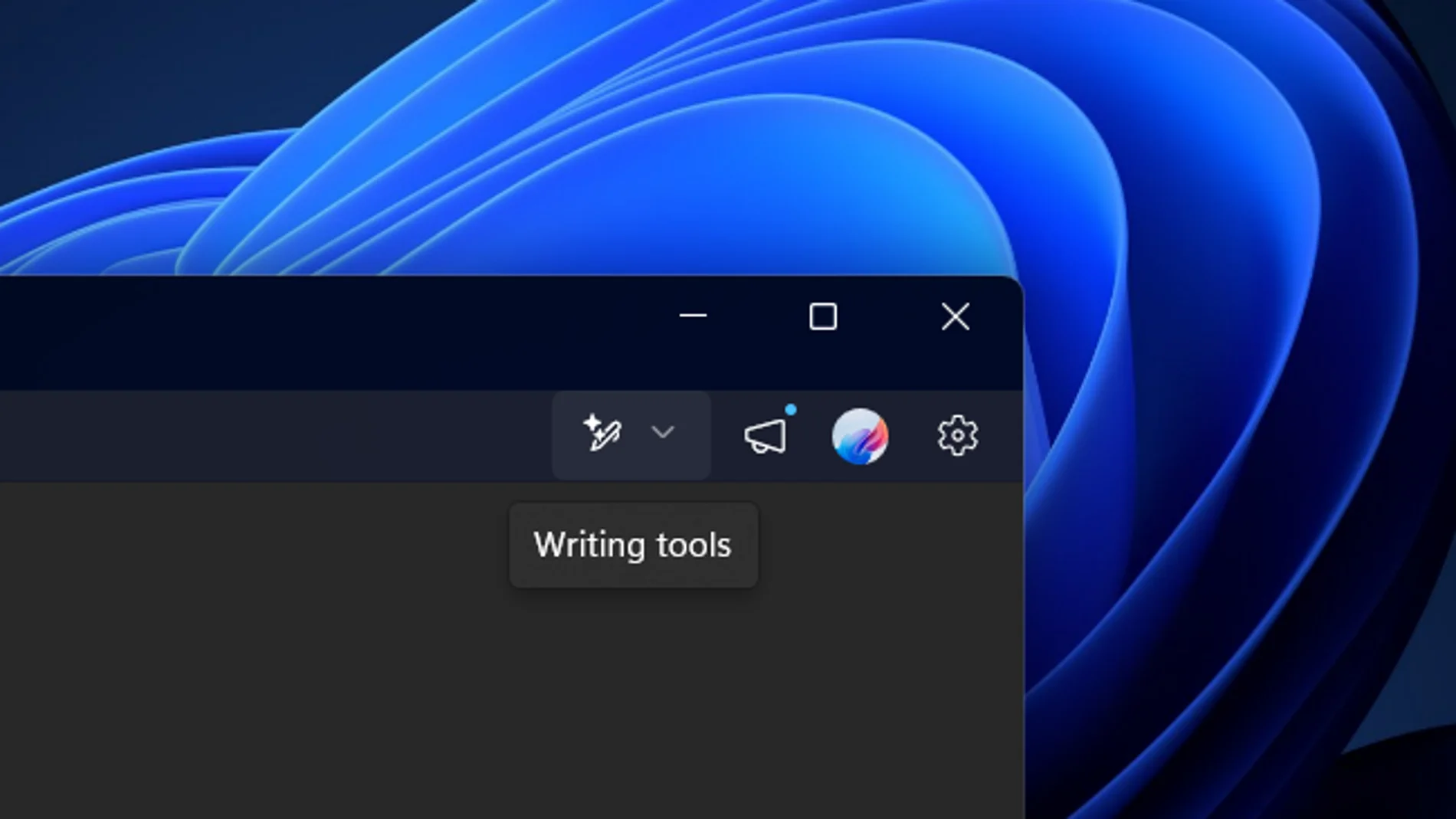
In the latest version of the app Notepad for Windows InsidersMicrosoft has removed the Copilot button in favor of a menu ‘writing tools’. Instead, there is now a specific icon for those tools that helps users better understand their function. When you press the new button, Notepad displays a list of available options, including rewrite, summary, change pitch, and more.
The Copilot button in the app Cuts It has also stopped appearing when selecting an area to capture. These changes are part of the ‘reduction of unnecessary Copilot entry points, starting with applications such as Clippings, Photos, Widgets and Notepad’. Although the Copilot buttons are being removed, it appears that the underlying AI functions are still present, but in a more natural way.
The changes are not limited to the toolbar. In the section of Configuration of the app, Microsoft has changed the name of ‘AI functions’ by ‘advanced features’. An option within that section allows you to disable AI-powered options in case you don’t want to use them.
Microsoft hasn’t officially announced the update yet, but it’s expected to do so soon, likely alongside the upcoming Windows Insider Preview builds, which typically release every Friday. However, if you don’t want to wait, You can get the latest version of Notepad even without being enrolled in the Insider program. Follow these steps.
- Go to store.rg-adguard.net and select ‘Product ID‘ in the first dropdown menu.
- Paste ‘9msmlrh6lzf3‘ in the search box and select ‘fast‘ in the second drop-down menu.
- Click the verify button to locate the application.
- Download the file ‘Microsoft.WindowsNotepad_11.2512.28.0_neutral_~_8wekyb3d8bbwe.msixbundle‘.
- Open the downloaded file. If Notepad is already installed, Windows 11 will ask you to update it.
- After you update Notepad, you’ll see the new button in the toolbar and the Configuration updated.
Now it remains to be seen if Microsoft decides also eliminate the requirement for the Copilot button on laptop keyboards or whether it will go further and remove the other unnecessary Copilot buttons it has added elsewhere in Windows 11 in recent months.